Group Elements
Selection and search sets from property rules, rerun on every model update
Nested selection and search sets generated from property rules, coloured in the model, exported as XML and rerun on the next model.
Manage and Simulate
Explode Model
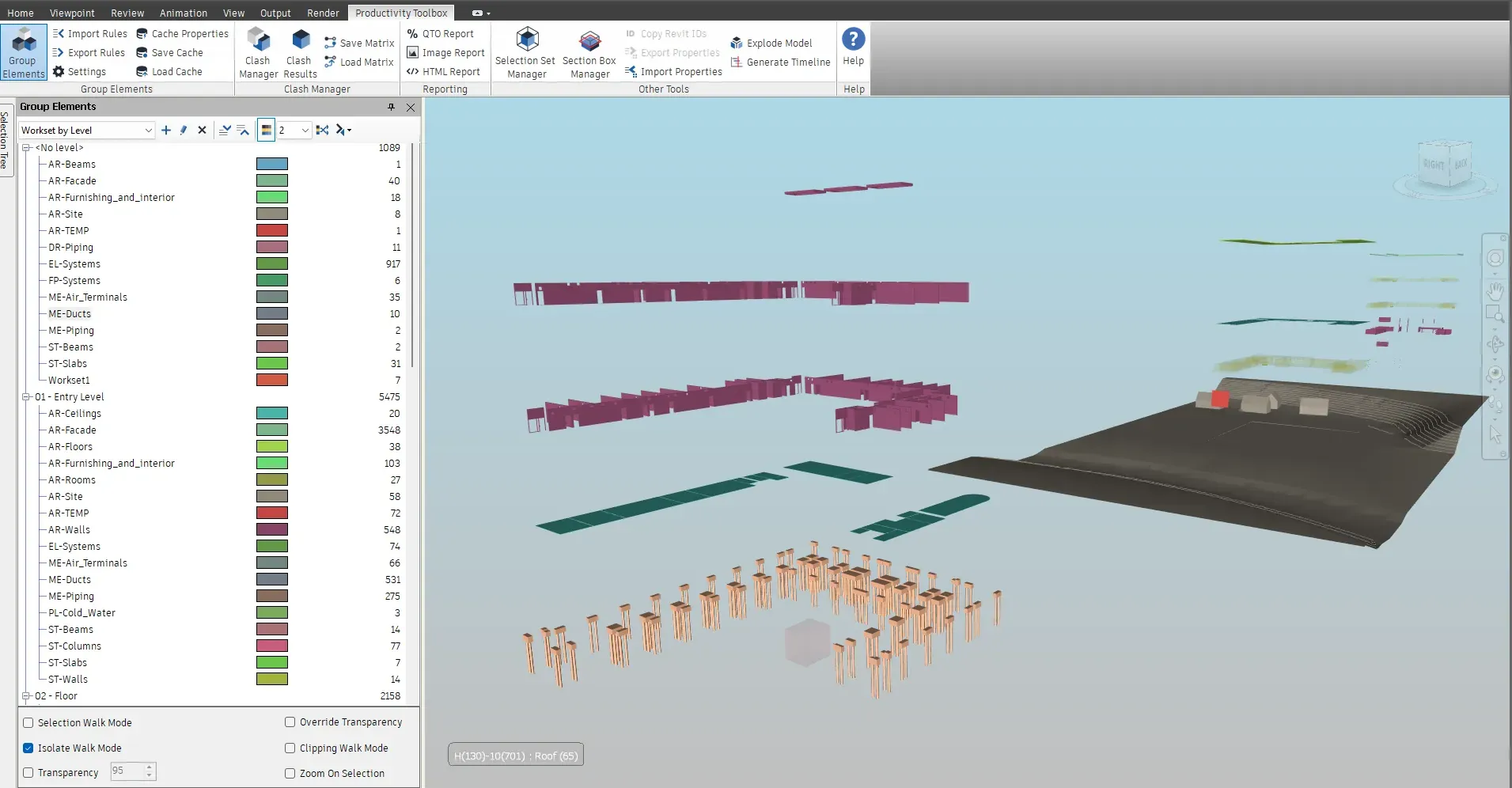
Explode Model takes a grouping from Group Elements and translates each group away from the others, one direction per grouping level and up to three axes. A level-by-system tree becomes an exploded view where every floor and every system sits apart, ready for a screenshot or a walkthrough.
What it does
Spread a grouping's elements apart along up to three axes so a breakdown can be inspected piece by piece, then reset it.
Federated models hide the interfaces between systems. Exploding the model by level and then by system pulls the storeys and the services apart, so each system can be inspected on its own and the breakdown reads clearly in a coordination report or a client presentation. Because the tool only applies transform overrides, resetting the view takes one click.
Watch it run

Split the federated model by property to target a review at a specific system, level, or contractor. All tutorials
At a glance
Pressing F1 on any of these ribbon buttons opens the help page for that command on this site, which forwards to the section of the user guide that documents it.
Nested selection and search sets generated from property rules, coloured in the model, exported as XML and rerun on the next model.
Manage and Simulate
Colour the model by property value and export saved viewpoints that keep the group tree and its colours.
Manage and Simulate
A pane that lists the Revit rooms under their levels. One click sections the view to that room or level, and checked rows are sectioned together.
Manage and Simulate
30 days, unrestricted. Download it from the Autodesk App Store and run the installer; no administrator rights needed.