Group Elements
Selection and search sets from property rules, rerun on every model update
Nested selection and search sets generated from property rules, coloured in the model, exported as XML and rerun on the next model.
Manage and Simulate
Group Elements
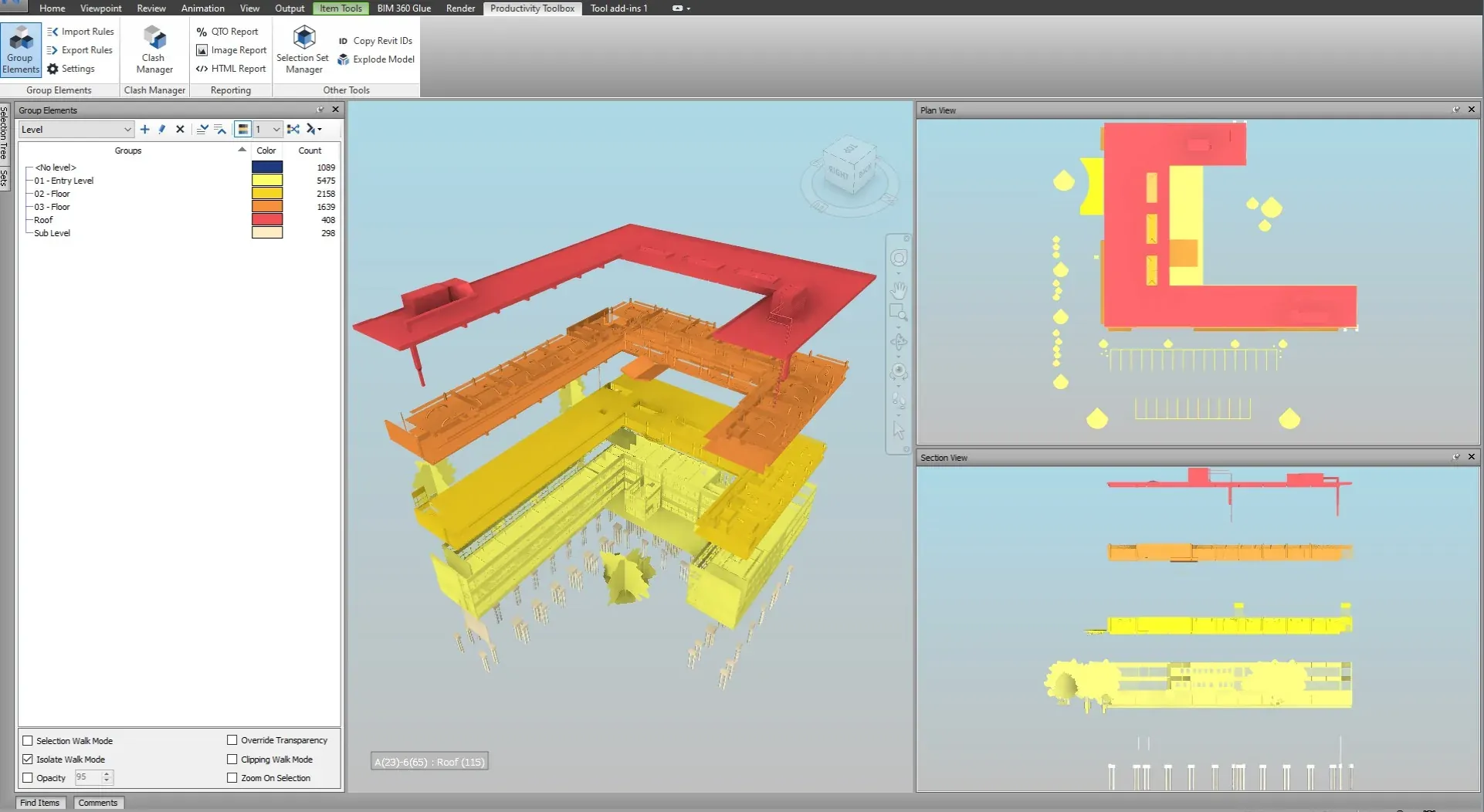
The groups on one chosen level of a Group Elements tree carry a colour in the model. Isolate a group, recolour one or several groups, or export the tree as saved viewpoints that mirror the grouping structure, so a level-by-level or system-by-system walkthrough is ready before the coordination meeting starts.
What it does
Colour the model by property value and export saved viewpoints that keep the group tree and its colours.
Right-click a grouping in the Group Elements pane and export it to saved viewpoints. Each lowest-level group becomes a viewpoint and each group above it a folder, so the Saved Viewpoints window follows the tree. When the grouping is coloured, the viewpoints carry the group colours. The same tree drives the Image and HTML reports, so the viewpoints, the images and the report pages agree with each other.
The default walk-mode transparency and the two colour palettes live in Settings. Up to sixteen names are coloured in palette order, alphabetically, so the same set of values gets the same colours on every run.
Watch it run

Generate selection and search sets automatically from property hierarchy. All tutorials
At a glance
Pressing F1 on any of these ribbon buttons opens the help page for that command on this site, which forwards to the section of the user guide that documents it.
Nested selection and search sets generated from property rules, coloured in the model, exported as XML and rerun on the next model.
Manage and Simulate
One rendered image per group, an HTML report that prints one group per page, and Excel clash reports with a summary, a pivot, a set-by-set matrix and a history.
Manage and Simulate
Spread a grouping's elements apart along up to three axes so a breakdown can be inspected piece by piece, then reset it.
Manage and Simulate
30 days, unrestricted. Download it from the Autodesk App Store and run the installer; no administrator rights needed.